Your files stay yours.
Speech recognition and translation happen on your Mac. Your videos never need an upload.
An offline subtitle generator for Mac.
Local AI, the language you choose, and a simple SRT file.
Early bird: 80% off for the first 10 copies.
One-time purchase. No subscription.Apple Silicon · macOS 13+
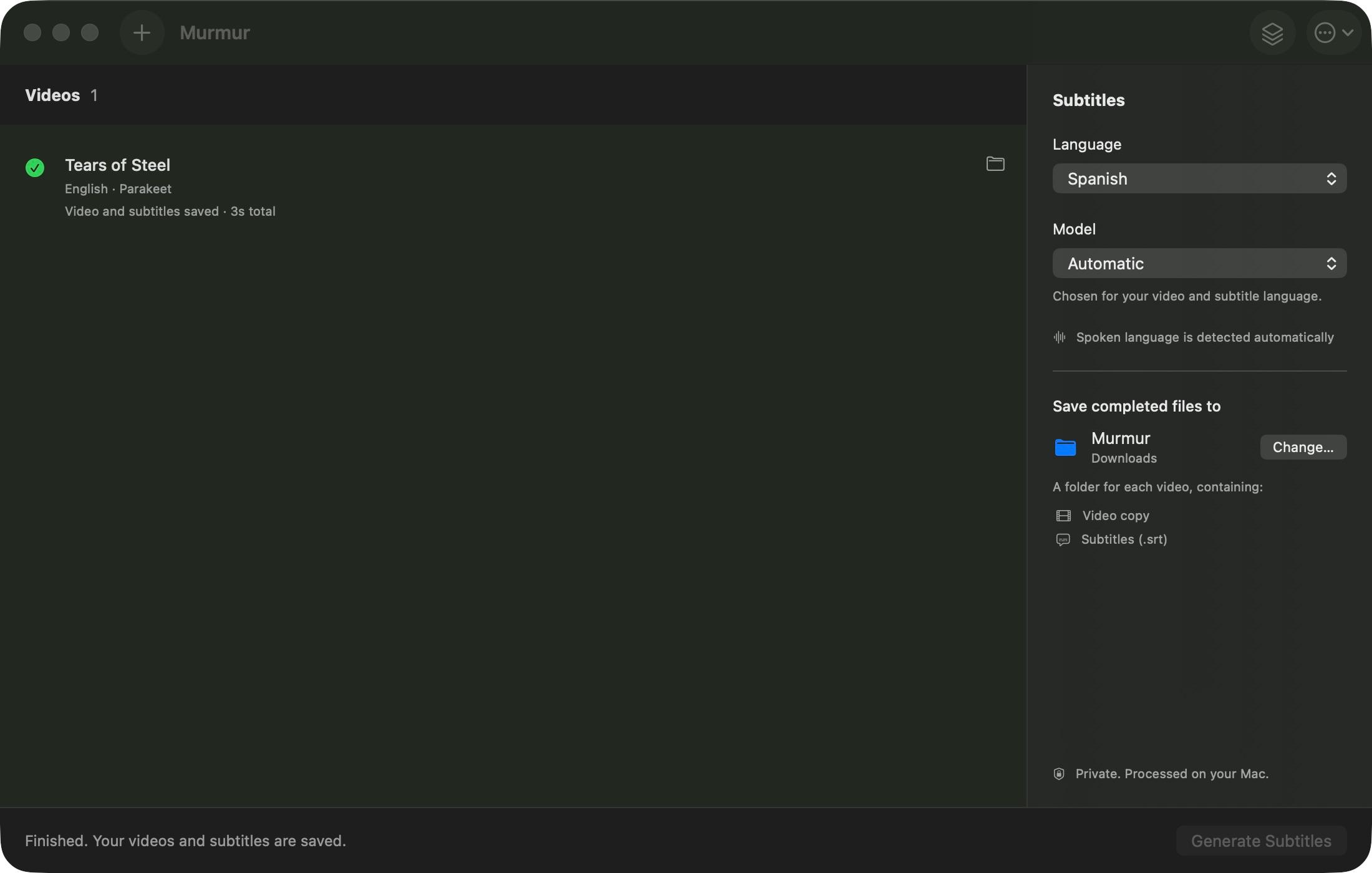
Speech recognition and translation happen on your Mac. Your videos never need an upload.
Keep the original language or translate your subtitles with offline language packs.
A video copy and matching subtitles, together in one folder. Ready for your next step.
A small app. A simpler workflow.
An offline subtitle generator for Mac that keeps the process simple, from your first video to your finished files.
Add a single clip or queue several. Murmur detects the spoken language for each video.
Pick your subtitle language. Let Automatic choose the model, or use Parakeet or Whisper.
Generate, then find your video copy and SRT file together in your selected save folder.
Download your models once during setup. Generate offline after that.
Create subtitles in the original language, or translate them for someone new. Speech detection is automatic, so there’s one less setting to think about.
Translation uses available offline language packs. Review your subtitles before sharing.
For tutorials, interviews, lectures, and the videos you want more people to understand.
Made for Apple Silicon. macOS 13 or later.
$50$10USD
Only the first 10 copies at this price.
No monthly bill. No subscription.
Purchases aren’t open yet. Check back soon.
A few things you might wonder.
Everything from offline setup
to your first SRT file.
Murmur is an offline subtitle generator for Mac. Add a video, choose your subtitle language, and generate a timed SRT file using AI that runs on your Mac. It works well as a starting point for captioning tutorials, interviews, lectures, and personal videos.
Yes, after setup. Your first setup downloads the speech models and any required translation packs using the internet. Once those files are installed, subtitle generation and translation run locally. Choosing a language that needs a new translation pack may require another download.
No. Murmur processes the video, speech recognition, and subtitle translation on your Mac. You do not need to upload your media or provide an AI service API key. Model downloads require an internet connection during setup.
Murmur requires an Apple Silicon Mac (M1 or later) running macOS 13 Ventura or later. Intel Macs and Windows are not supported. Allow around 6 GB of space for the engine, models, and caches when using Automatic or Parakeet; a Whisper-only setup is smaller.
You can keep the video's original language or choose Arabic, Chinese, Dutch, English, French, German, Hindi, Indonesian, Italian, Japanese, Korean, Polish, Portuguese, Russian, Spanish, Turkish, Ukrainian. Translation depends on available offline language packs; some source and target combinations may need additional packs. The spoken language is detected automatically.
Yes. Automatic chooses a compatible model based on the detected speech and available translation packs. You can also choose Parakeet or Whisper yourself. Parakeet supports 25 speech languages; Whisper handles additional languages. Speed depends on your Mac, the recording, and the translation needed.
Each completed video gets its own folder containing a copy of the video and a matching .srt subtitle file. You choose where the folders are saved. Your original video stays untouched, and existing exports are not overwritten.
Murmur creates a separate SRT file. It does not burn captions into the picture or provide a subtitle editor. Open the SRT in a compatible player or import it into your video editor to review, style, or embed the captions.
Yes. AI transcription and translation can make mistakes, especially with names, background noise, mixed languages, and unclear speech. Review the text and timing before publishing or sharing captions.
No. The early-bird price is US$10 for the first 10 copies, 80% off the regular US$50 price. It is a one-time purchase with one year of app updates and no recurring subscription. Purchases are covered by a 7-day refund policy.